
Did that big “FREE” in the headline get your attention? Well, I promise you this isn’t some gimmick we are offering to get you to click on this article or to sign up for a service or email newsletter you don’t want. In fact, we aren’t even the ones offering these tools. We just want you to succeed in your marketing and business endeavors!
While concept4 may be new, we have over 50 years of marketing experience between us. And there are a few things that come up time and time again as we are conducting audits as part of the client onboarding process. Businesses big and small are missing out on opportunities—to measure, to perform, or to have meaningful engagements with potential customers—because they aren’t taking advantage of a suite of tools available to them for free!
Even if you aren’t going to use the following platforms right now as part of your marketing strategy, we recommend getting onboard with these tools as soon as possible. Why? Because many tools—especially free ones— don’t backfill data. The sooner you get on board, the sooner you can collect valuable data that may one day inform and optimize marketing campaigns, website design and development, and advertising efforts.
The best part? Most of these tools are quick and easy to set up and maintain. Setting them up may require the help of a web developer, but the extent to which they need to be involved is minimal—in most cases, it just requires copying and pasting a line of code into your website.
The sooner you get on board, the sooner you can collect valuable data that may one day inform and optimize marketing campaigns, website design and development, and advertising efforts.
Google’s Suite of Free Business Tools
If you have a website—which you should—you should also be taking advantage of Google’s whole suite of free business tools.
Over 50% of all online experiences start with a search query in a search engine. And of the searches conducted in search engines, over 90% of them happen on Google. They are by far the biggest player in search. The second largest player in search? Oh, that would be YouTube—which is also owned by Google’s parent company Alphabet.
Their ad network includes over 90% of websites globally. While the majority of smartphone owners still use iPhone in North America, Google’s Android operating system has a significant 42% of the market. Finally, Google’s Chrome browser is utilized by over 50% of US website users. These factors combined make Google unignorable if your business has an online presence. Neglecting to adopt their free tools would be just that—negligence.
Google Tag Manager
While not the most important tool on this list, Google Tag Manager is first on this list because it makes implementing many of the following tools—from Google and the other platforms listed here—so much easier. Once you learn how to utilize Google Tag Manager, you don’t have to rely on a web developer to implement simple tags used for a variety of marketing and advertising tactics and measurement.
What is a tag? A tag is a small piece of code that is placed on your website to track user’s actions and use of your site. Prior to Google Tag Manager, these tags needed to be placed directly into your website’s source code in precisely the right way. Those who did not have the coding background to do so, had to rely on a web developer to place them for them—or risk breaking some function on the website.
While you still need the web developer to first help you install the code for the Google Tag Manager “container,” from there your marketing team can implement tags—largely free from the fear that they will break your website. It frees up your web developer to work on more important projects for your site and gives your marketing team the flexibility to implement campaigns and measurement strategies without waiting for the developer to have time to help.
Google Analytics
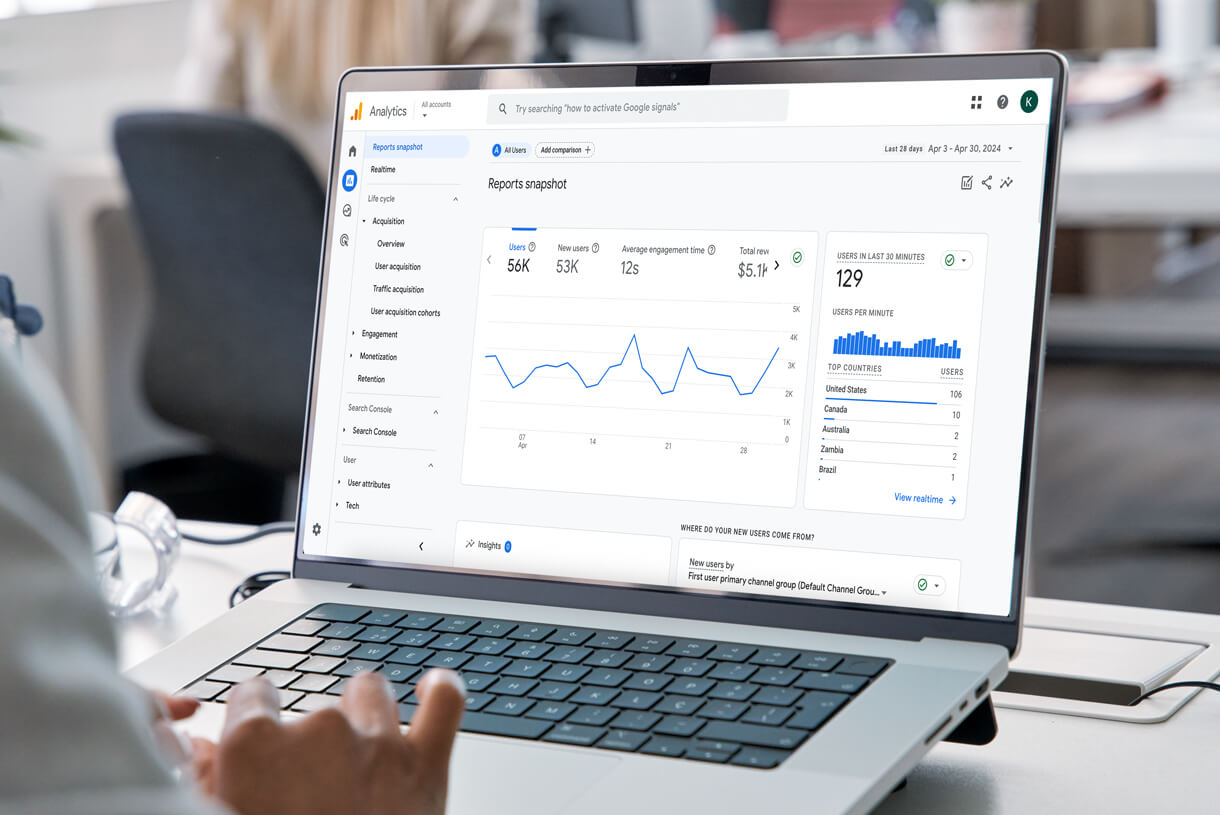
Perhaps the most important tag you should place on your website is the Google Analytics tag. There have been several different versions of this tag throughout the years, so even if you have a tag connecting your website to Google Analytics, you should also make sure that you are utilizing the latest and greatest version.
Google Tag (gtag.js)
As of the writing of this article, the Google tag (gtag.js) is the latest version of this tag. It allows you to utilize one single tag for your Google Analytics, Google Ads, and a variety of other Google tools, rather than placing multiple tags meant for different purposes. Reducing the number of tags on your website is important, when possible, because not only does it reduce the chance for errors, it also improves the load speed of your site, directly impacting the user experience (and your ranking in search results).
GA4 Properties
This tag should be connected to the latest version of Google Analytics’ “properties.” If your site is older than five years old, you may still be utilizing what was called “Universal Analytics.” These types of properties were phased out in the second half of 2023. Instead, you should be collecting data through Google’s new “GA4” property. If you haven’t yet set up your GA4 property through Google Analytics, you may no longer be collecting data on your website’s usage.
If you aren’t collecting data on your website’s usage, it will be hard to identify what content resonates, when certain pages may be broken—or just difficult for users to utilize, or create a well-formed sales funnel. It will also be difficult to create retargeting campaigns or execute any high-value marketing tactics down the road.
Google Search Console
Whereas Google Analytics helps you measure and track traffic once it gets to your website—it can also give you some understanding of where traffic came from—Search Console is a tool that will give you a better understanding of the traffic that came to your site through a Google search. What were users searching for? Where did your page rank in the search results? Was your page title and description enticing enough to get users to click through to your page?
When connected to your Google Analytics account, the insights from these two tools combined can provide a larger picture of your website users, their needs, interests, pain points, et cetera. Then you can build your website and create content to attract them, delight them, and show them your products and services are just what they are looking for.
Google Business Profile
Previously called “Google My Business,” Google’s Business Profile is responsible for your physical location showing up in Google Maps and at the top of search results with your local business card. This allows potential customers to access your business’s hours of operation, address, phone number, and more without having to click through to your website.
While driving website traffic is usually desirable, so is providing frictionless ways for customers to connect with you. If customers are looking for something quick about your business on Google, you want to show up in as many ways as possible. A Google Business Profile is the starting point for how to do that.
Google Ads Account
Even if you are not planning on running advertising campaigns through Google immediately, we recommend setting up a Google Ads Account. Connect it to your Google tag and your Google Analytics account to start building retargeting audiences so that you will have that data when you are ready to execute those campaigns.
Retargeting campaigns capture the traffic closest to purchasing your products or services. These audiences can also be invaluable in building new audiences that exhibit the same characteristics as the audiences already purchasing from you. Since you can’t backfill this data later, it’s best to start collecting and organizing it right away.
Meta’s Business Suite & Free Tools
Meta—which includes Facebook, Instagram, and WhatsApp—is the second largest player in the digital advertising space. They were the first social platform to give brands the opportunity to purchase advertising in their feed and beyond.
To this day, Facebook maintains its status as the largest social media platform with 3.05 billion monthly active users (MAU). Instagram’s 2.04 billion MAU is third on the list of largest social platforms, right behind YouTube’s 2.49 billion. So, while they own two of the three largest social platforms, Meta also offers the most robust social advertising platform, complete with its own ad network of websites similar to Google’s.
Between Meta and Google you can pretty much reach every single person on the planet with internet access. So, let’s go over their list of free business tools you should adopt.
Meta’s Business Suite
Gone are the days of managing your business’ Facebook page through your personal Facebook account—or worse, through a gray account. Managing your page this way presents security problems, as well as continuity problems when you have employees—or agencies— who manage your marketing efforts leave your company.
Meta’s Business Suite allows you to manage all your Meta properties through one tool, which is connected to your business email address. It also allows you to provide access to your employees—through their business email addresses—to the tools they need access to, while maintaining ownership access yourself. That means when employees leave or agencies change, you can easily revoke their access with a press of a button.
It also means that responding to comments and direct messages can all be done through one combined inbox in which messages requiring further action may be flagged and assigned, saving you time, streamlining the process for your team, and delivering a positive experience for your audience.
This tool also gives you access to more advanced features, not available to users managing Pages through their personal accounts like the Pixel, product catalogs, and more. Let’s talk through a couple of those additional tools you should set up right away.
Meta’s Pixel
If you set up nothing else besides Business Suite on Meta, make it the Pixel. The Pixel is a snippet of code placed on your website that tracks events on your website pages and connects those actions to users with Meta accounts. While advertisers cannot directly parse out specific users, they can see aggregated insights to help them evaluate the characteristics of people interacting with their content and whether or not content is resonating with that particular targeted audience.
Data gathered by the Pixel cannot be backdated, and as with any advertising tool, the more data you have to inform the machine learning algorithm behind the advertising engine the better. So, even if you are not planning on advertising for several months—or years— down the road, start gathering this valuable data by implementing the Pixel as soon as possible.
Instagram Business Profile
In order to connect your Instagram account to your Business Suite, you will first need to convert your brand’s Instagram profile to a Business profile. This is easily done in the settings and gives your business access to additional tools such as post analytics, product tagging, and other features only available to businesses.
LinkedIn’s Insight Tag
While LinkedIn is not nearly as large as either Google or Meta, it holds a special place in the business ecosystem. Whether you are a B2B business owner or just need to hire professionals as partners or employees, LinkedIn can be a valuable tool for your marketing efforts.
LinkedIn’s Insight Tag is similar to Meta’s Pixel, allowing you to collect information about the users on your website and craft advertising audiences based on that data. Also like Meta’s Pixel, you cannot backfill data. So, whether you plan to run advertising campaigns immediately, if it is in any way possible that you may need to hire in the future or get in front of key business decision makers, install LinkedIn’s Insight Tag now.
Feeling overwhelmed by the number of tools your business needs?
Don’t worry. While this seems like a lot, most of the effort required is in the initial setup. Once these tools are set up and implemented, most only need the occasional checkup to make sure they are still optimized and working as intended. Meanwhile, your marketing team—and the results they drive— will benefit from these tools’ output today and in the future.
Still, we get that setup can be intimidating—which is why it is something we offer support with when onboarding new clients. These tools help lay the foundation of success in your marketing strategy, and like we said—we’re invested in your brand’s success so we encourage you to take advantage of every relevant, valuable—but free—tool available to you!